Optimize your AI customer support
Optlo gives you the infrastructure to build and run AI support with your own provider account.
You decide how it works
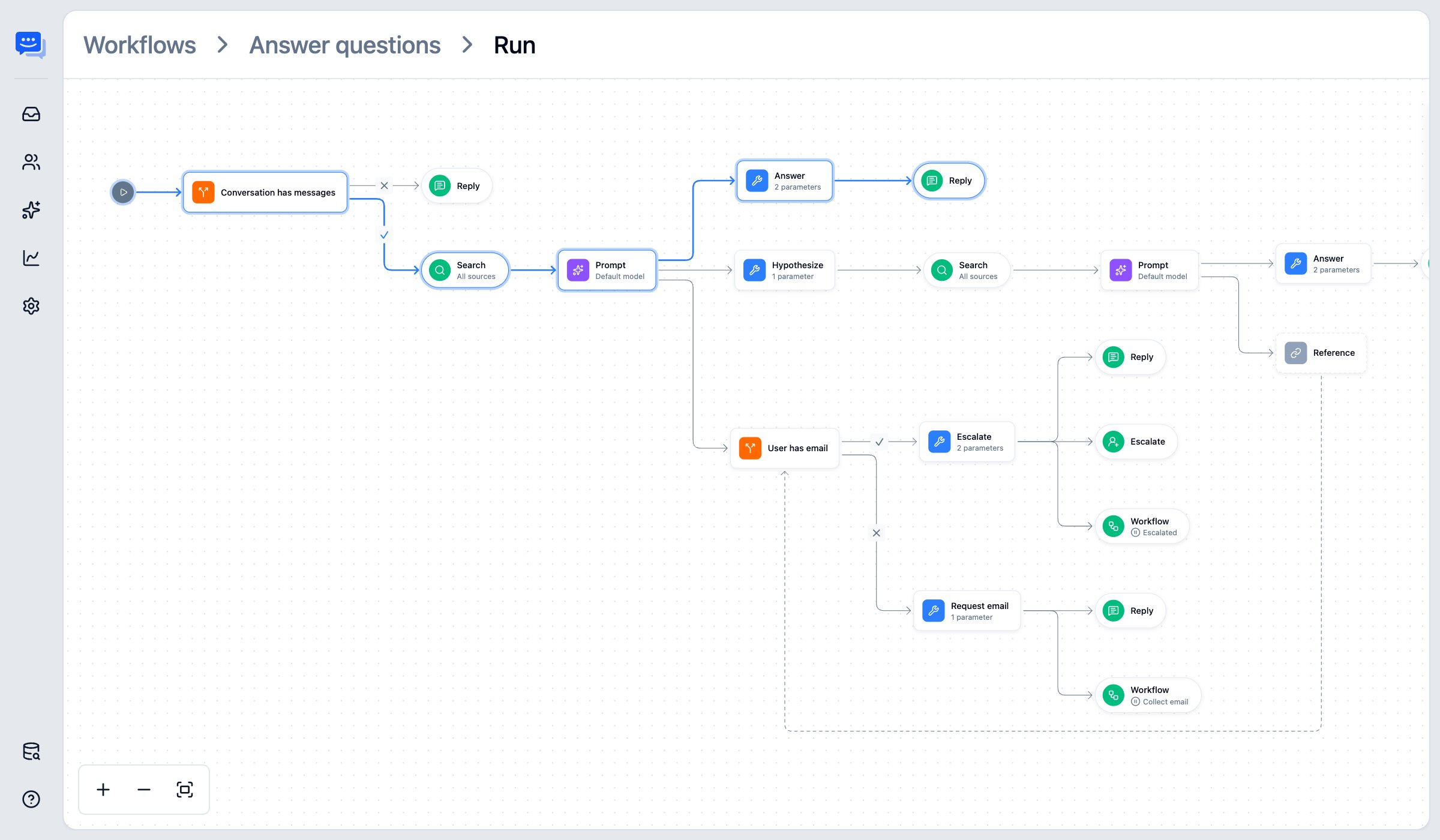
Build the exact conversation flow your team needs. A visual editor lets you control when the AI responds, what it can access, and what happens next.
- Tune every step
Use a fast model for routing and a more capable one for replies. Balance cost and quality at every stage of the conversation.
- Let it work in your tools
Connect Stripe or any API through secure connectors, so your agent can check billing, accounts, or orders, and act on them.
- Start from a preset
Choose a ready-made flow for support, triage, or sales, then customize it to fit your business. No need to build from scratch.
Bring your own AI
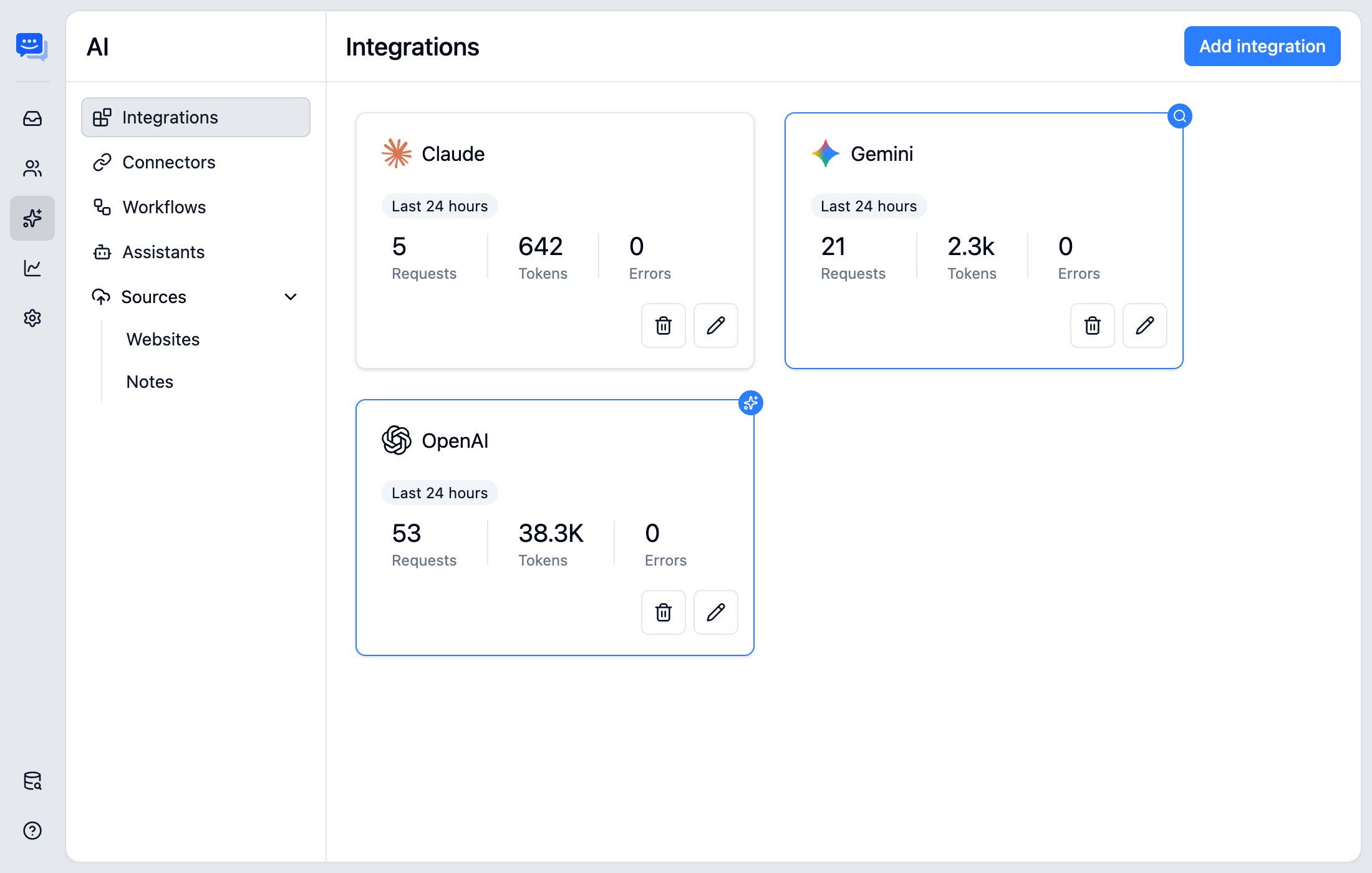
Bring your own AI account. Optlo powers your support agent, and you stay in charge of your AI usage and costs. No bundled AI markups.
- Your AI, your account
Your agent runs through your own provider account, so you always know what you're using and paying for.
- Choose the AI that fits
Pick the provider you trust and the model that fits your needs. Optimize for cost or performance, and switch anytime.
- Scale without lock-in
Increase usage as you grow and adjust models when needed. No rigid AI pricing tiers locking you in.
Seamless human handoff
AI handles the routine questions. Your team steps in when a conversation needs a human, with full chat history visible. How the handoff works.
- Full conversation context
Your team sees the entire chat history and picks up exactly where the AI left off.
- Smart escalation
The agent escalates conversations it can't resolve, so complex issues reach your team without delay.
- Human help, on demand
Customers can ask for human assistance at any point in the conversation.

One inbox for your team
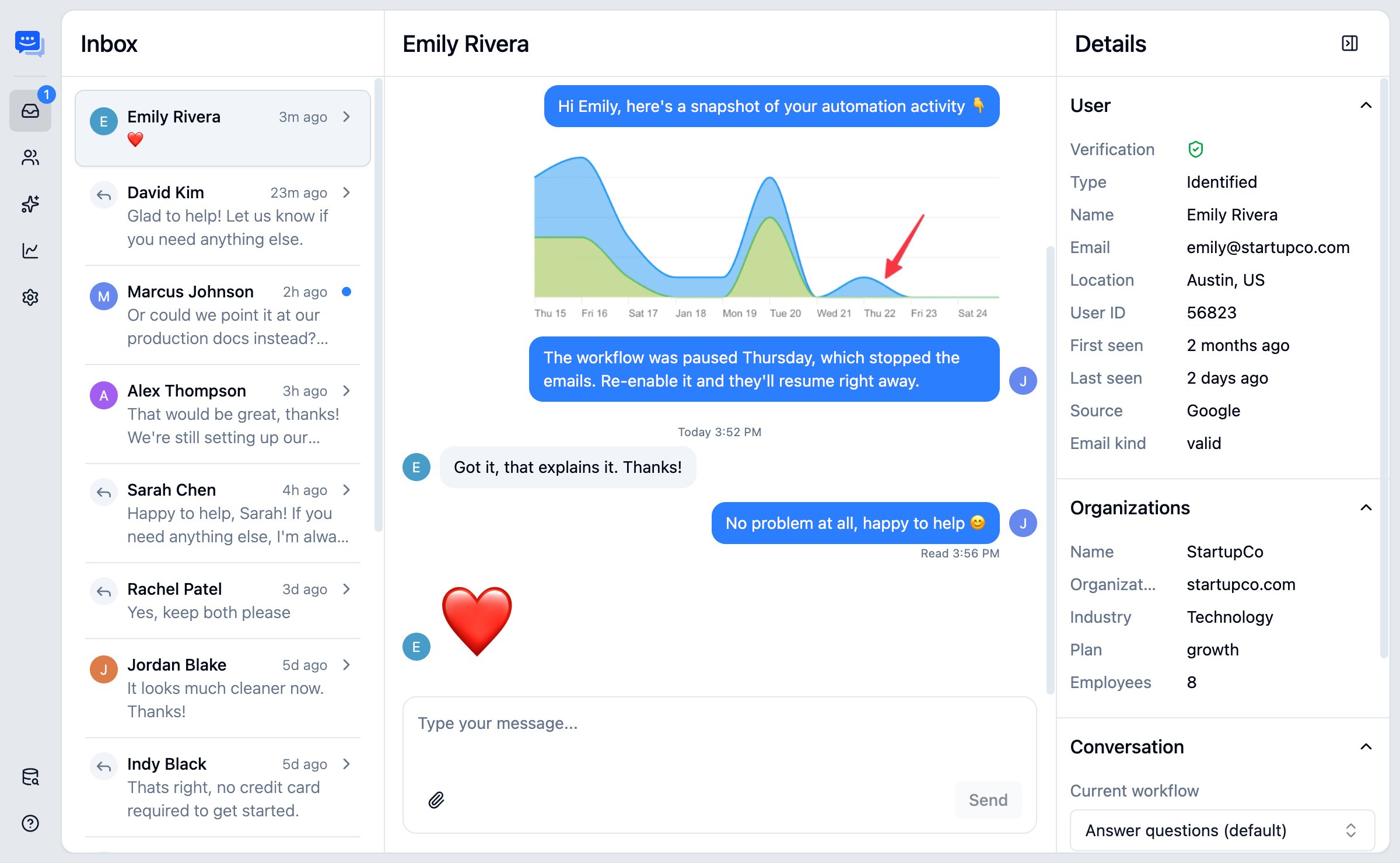
Every conversation lives in one place. Your team can see all messages across website chat and email, and reply from a single view.
- One unified inbox
Messages, attachments, and past exchanges in one view. Nothing gets lost between channels.
- Rich replies
Add images, formatting, and attachments to your replies.
- Multi-channel flow
Switch effortlessly between chat and email. Your customers choose how they reach you.
Trained on your own content
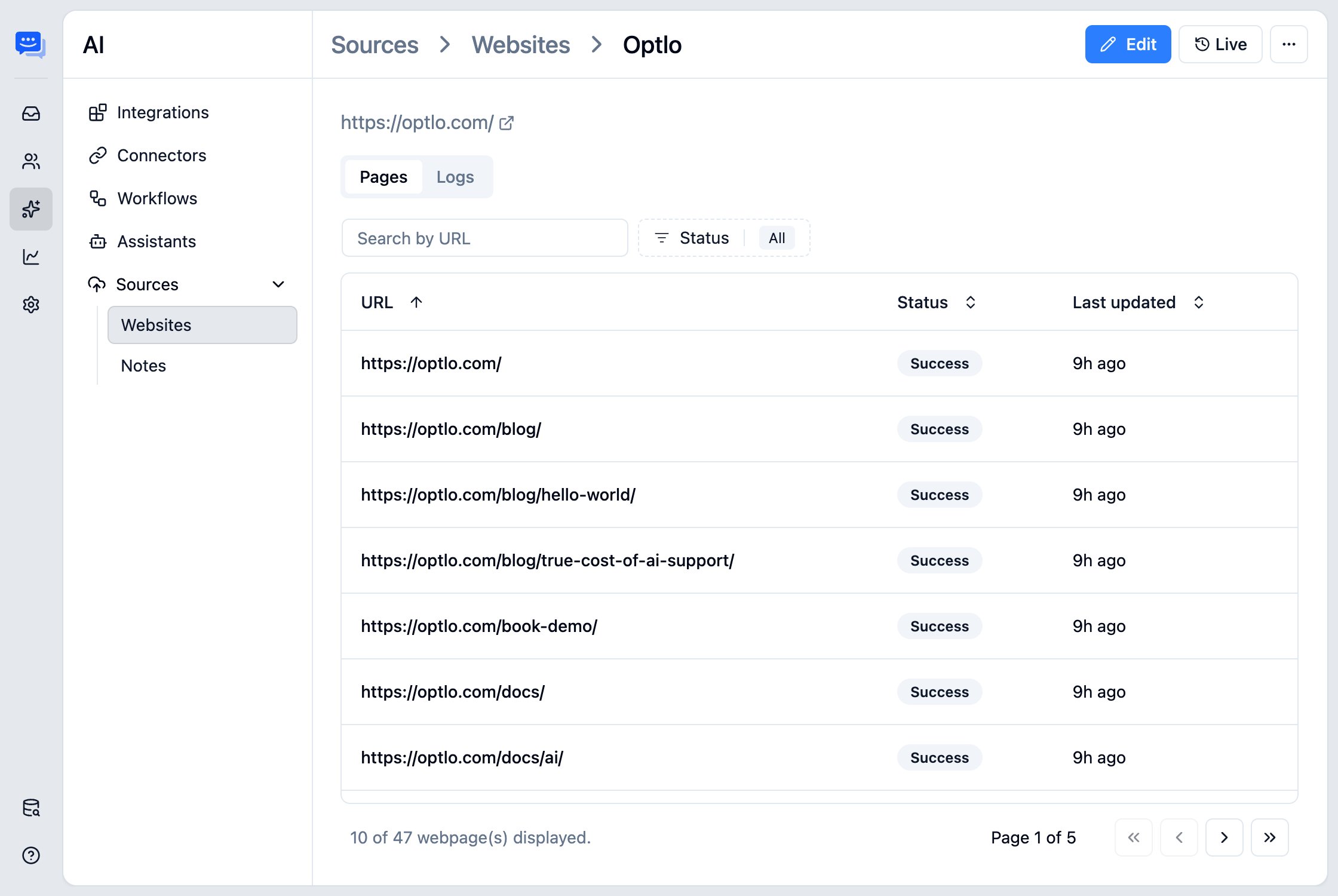
Point your agent at your website, docs, or help center. It answers from your content, so responses match what your team would say.
- Import from anywhere
Pull content from your website, help docs, FAQs, and more to create a reliable knowledge base.
- Guide what it knows
Add links or custom answers, and let your agent crawl your sitemap to learn your content.
- Always up to date
Sync content automatically or on a schedule, so your agent stays current as your site changes.
Additional tools to optimize your support
Natural conversations
Your agent asks clarifying questions, responds clearly and professionally, and tells users when it doesn't know something.
Customizable agent
Personalize your agent's style, tone and appearance to match your brand and site.
Simple setup
Install the Messenger widget, connect your AI key, upload your content, and go live. No heavy setup required.
User context
See helpful user details to deliver more personalized, informed responses.
Global deployment
Deploy close to your users for speed and compliance, wherever they are.
Speak their language
Respond naturally in multiple languages, wherever your customers are.
Build AI customer support on your terms
Bring your own AI, stay in control, and optimize as you scale.
* No credit card required